
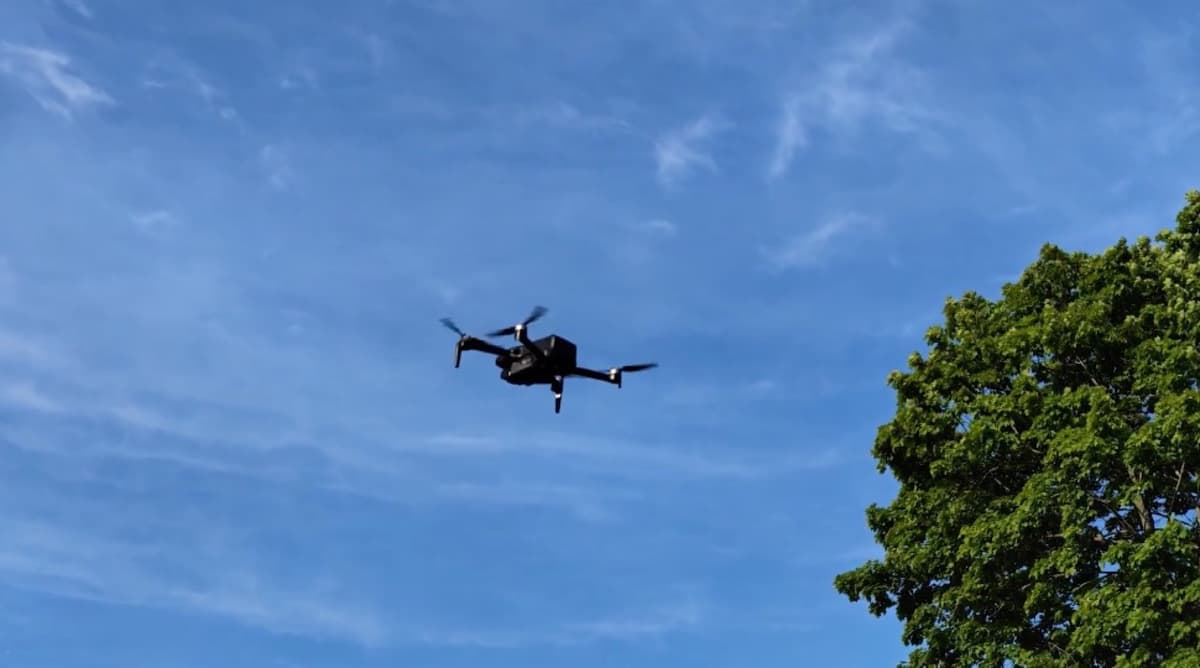
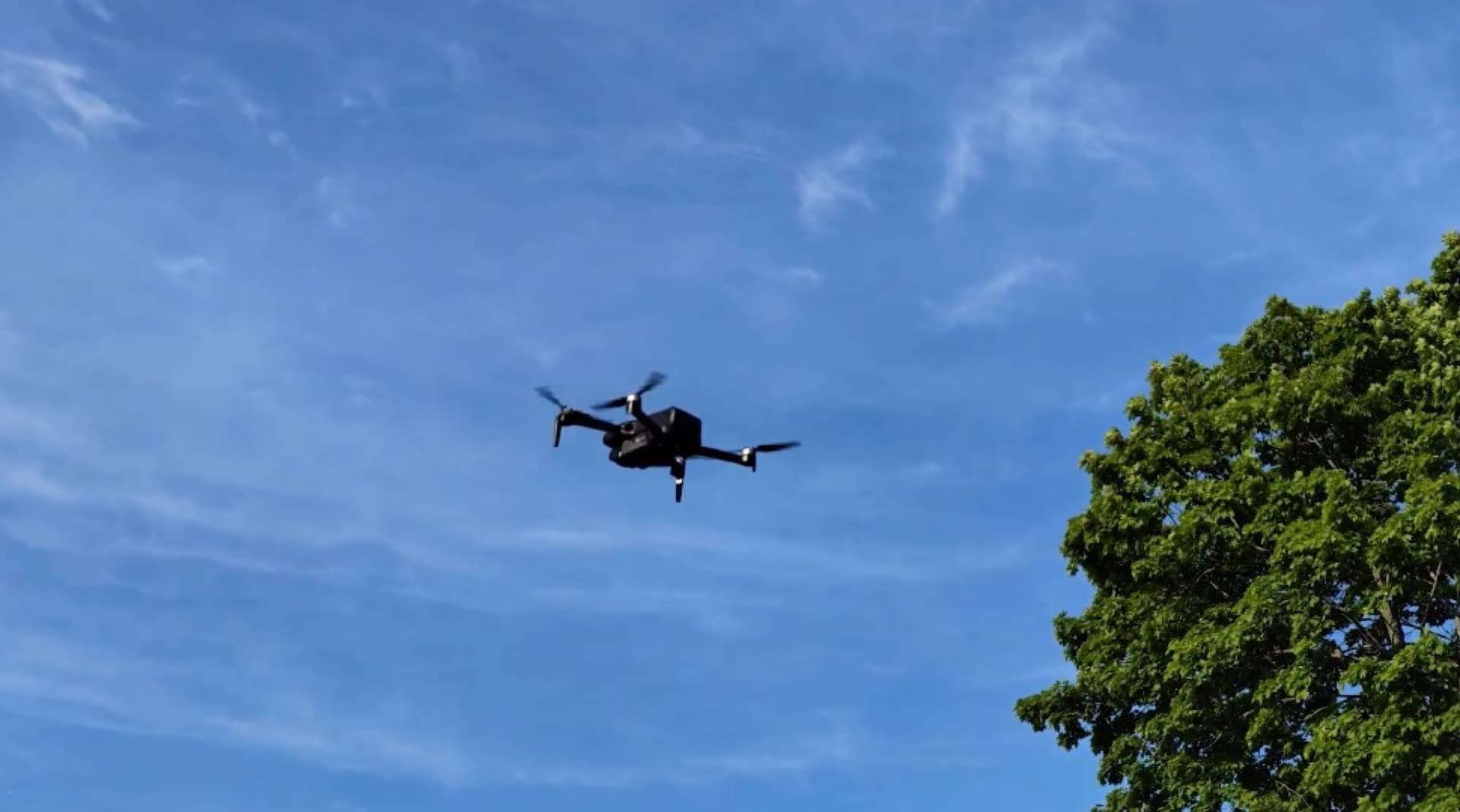
REVIEW - If you are looking at the Ruko U11MINI 4K and wondering whether it is actually beginner-friendly, the short answer is yes. Very much yes. This is not a pro pilot’s technical breakdown. This is a real first impression from someone who opened it up, charged it, took it on a trip, flew it over a lake, brought it back home, and put it through the kind of use most everyday buyers actually care about.
Price: $649.99
Where to buy: Amazon
The big question with a lightweight compact drone like this is simple. Does it feel cheap and frustrating, or does it feel like something you can toss in your bag and genuinely enjoy using? In my experience, the Ruko U11MINI lands firmly in the second category.
What's included with the Ruko U11MINI 4K drone
The packaging is pretty straightforward, and I appreciate that. You are not digging through a mountain of clutter to get to the good stuff. Inside, you get a compact carrying case, and that case is really the center of the whole experience because it keeps everything organized and travel-ready.
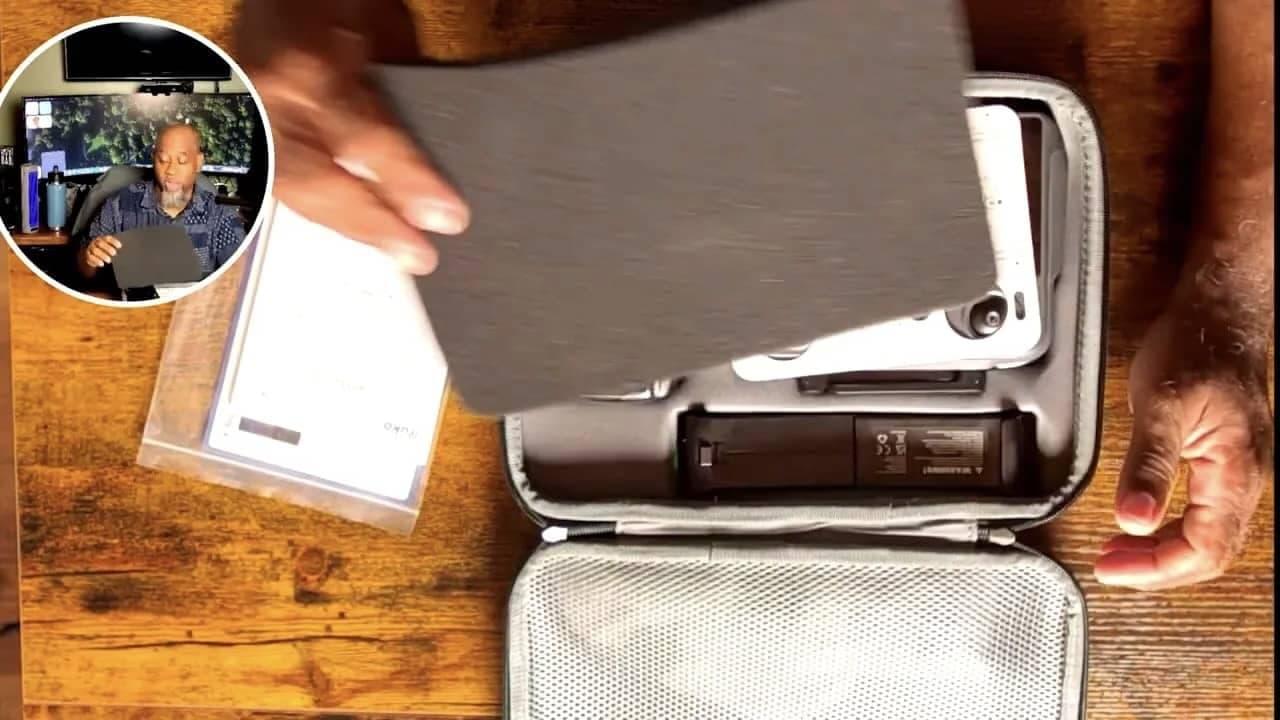
The folded Ruko U11MINI drone
The RC3 controller with built-in screen
At least two batteries in the setup shown here
USB-C charging cables
Extra propellers
Replacement control sticks
A small screwdriver
Quick start materials and manual access via QR code
That is a solid bundle for anyone getting started. It is especially nice to see spare props and small accessories included, because those are exactly the little things beginners tend to need sooner rather than later.
First impression of the hardware
The drone itself is compact and folds down small enough to make sense as a travel drone. Once unfolded, it still feels light, but not flimsy. There is a difference. Some lightweight drones feel like you need to baby them constantly. This one gave me a better first impression than that.
To unfold it, the front arms come out first, then the rear. It is simple enough once you have it in your hands.
The controller also stood out right away. It has two antennas, removable control sticks stored in the body, and most importantly, a built-in screen. That built-in display changes the experience a lot. No fumbling with your phone, no pairing around calls, no dealing with notifications popping up when you are trying to fly.
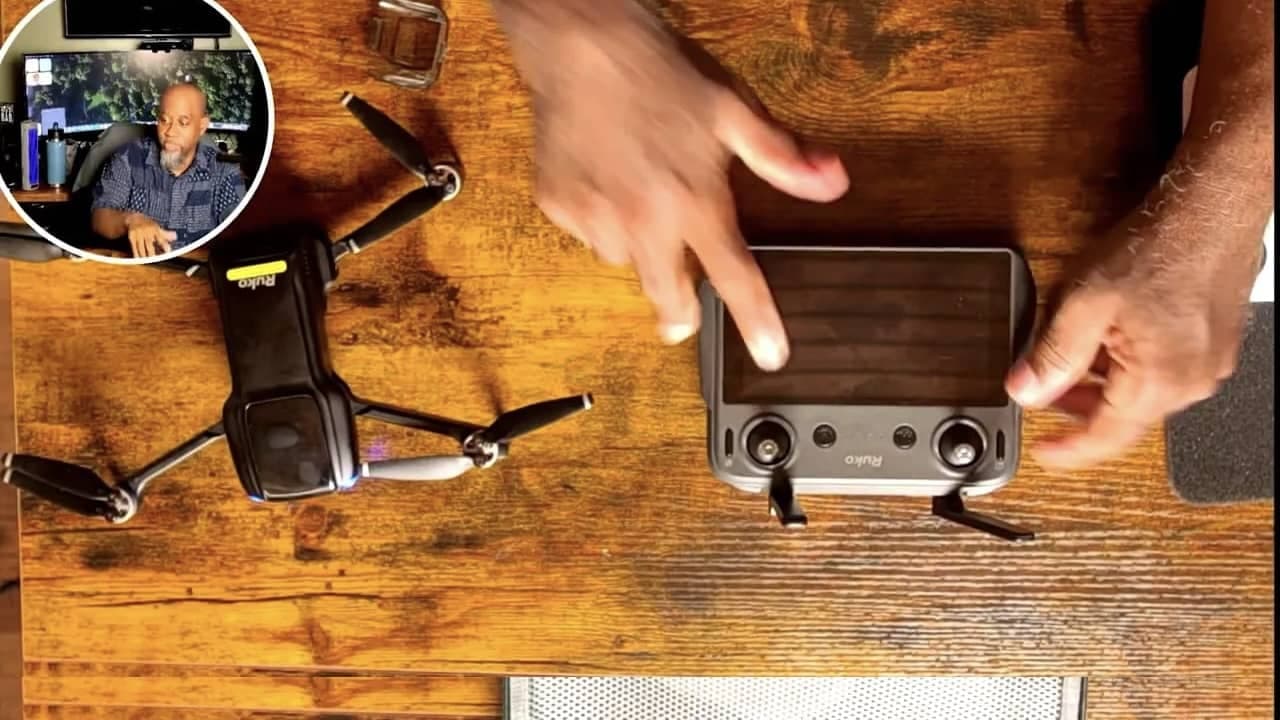
From the start, the controller felt well made. The sticks felt responsive, the device felt solid in hand, and the screen looked good immediately.
The built-in screen is one of the best parts
This was one of my favorite things about the whole package. The 5.5-inch screen is not just there as a gimmick. It is actually useful, responsive, and pleasant to use.
Once powered on, the controller quickly connected to the drone and pulled up the camera feed. The touchscreen responded well, and even in a quick first setup, it felt intuitive enough that I was able to move through the menus and get to the flying interface without a lot of hassle.
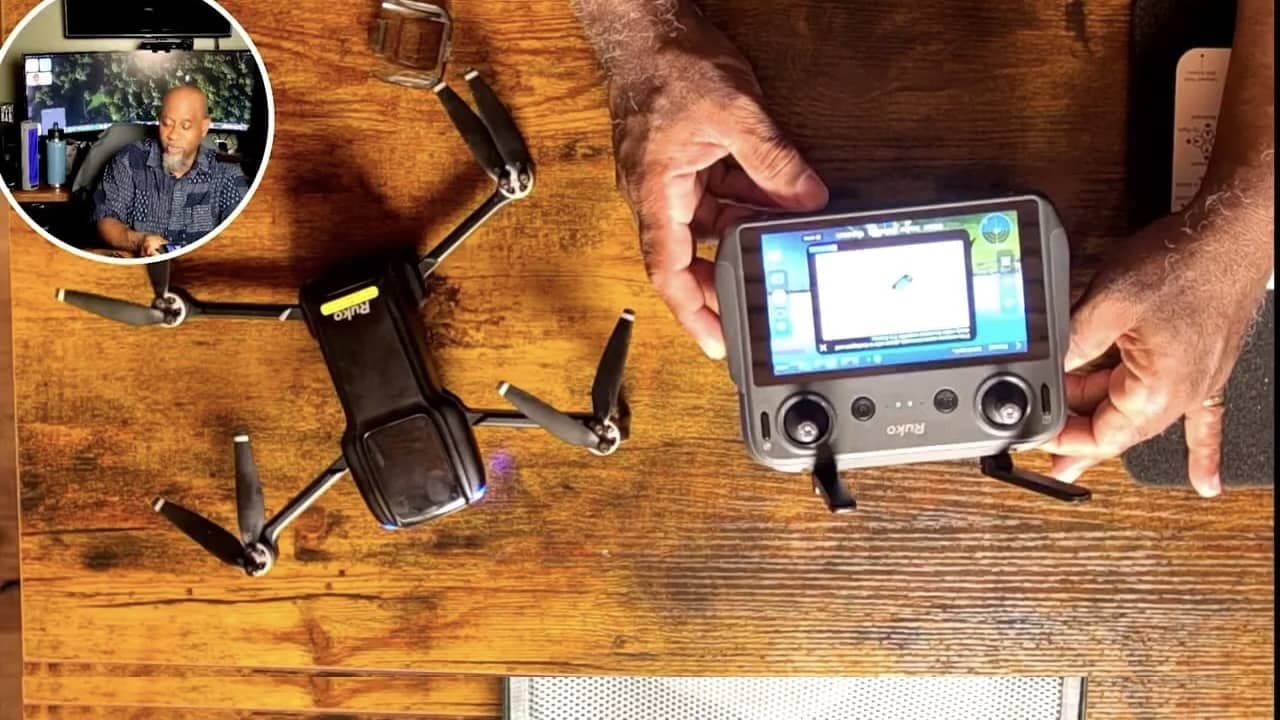
There is also haptic feedback on the screen, which adds a little polish. It may sound minor, but details like that make the controller feel more premium than expected at this level.
If you are the kind of person who values convenience, this part matters. The built-in display makes the drone feel much more self-contained. For beginners, that means less setup friction and less stress.
Setup and connection were easy
One thing I always look for with beginner tech is whether it makes you work too hard before you can enjoy it. This one did not.
After powering up, the drone and controller connected without drama. The system walked through a calibration process on screen, and while GPS is part of the setup, the whole thing felt manageable even without a lot of experience.
That is important because beginner-friendly does not just mean easy to fly. It also means easy to start.
Flying as a beginner: what stood out right away
I took the drone to Mechanicsburg, Pennsylvania, where I was staying at an Airbnb overlooking a lake. That was the perfect chance to get a feel for it in a real setting instead of just hovering indoors or over a driveway.
The overall experience was fun, and that counts for a lot. The drone felt responsive, the live view was clear, and the flying process did not feel intimidating. For someone still very much in the amateur category, that made a big difference.
I also brought it back home and used it for takeoffs and landings in my backyard. That gave me a second environment to test with, and it only reinforced the same basic impression. This is a very approachable drone.
Battery life felt strong in real use
I was impressed with how long the battery seemed to last. I was doing a lot of repeated takeoffs and landings rather than one clean long-distance flight, so I was not formally timing it. Even so, it felt like I was getting somewhere around the 30-minute mark per battery, give or take.
That is not a lab test, just practical use, but the important part is this: I never felt rushed. I did not get the sense that the battery was vanishing the second I started having fun. For a compact drone, that is a good sign.
Video quality looks very good for casual and enthusiast use
The footage coming out of the drone looked good. Really good for the kind of use most people buying this will care about.
Now, if you are expecting polished cinematic movement from a first-time pilot, that is a different conversation. Some of the roughness in the sample footage came from me, not from the drone. When I pushed the controls too aggressively during pans, the movement got jerky. That was a handling issue more than anything else.
The important point is that the raw image quality was strong enough that I immediately started thinking about future uses. This is the kind of drone I would happily use for bike shots, garage shots, backyard flyovers, and general content creation where I want an elevated angle without hauling around a giant setup.
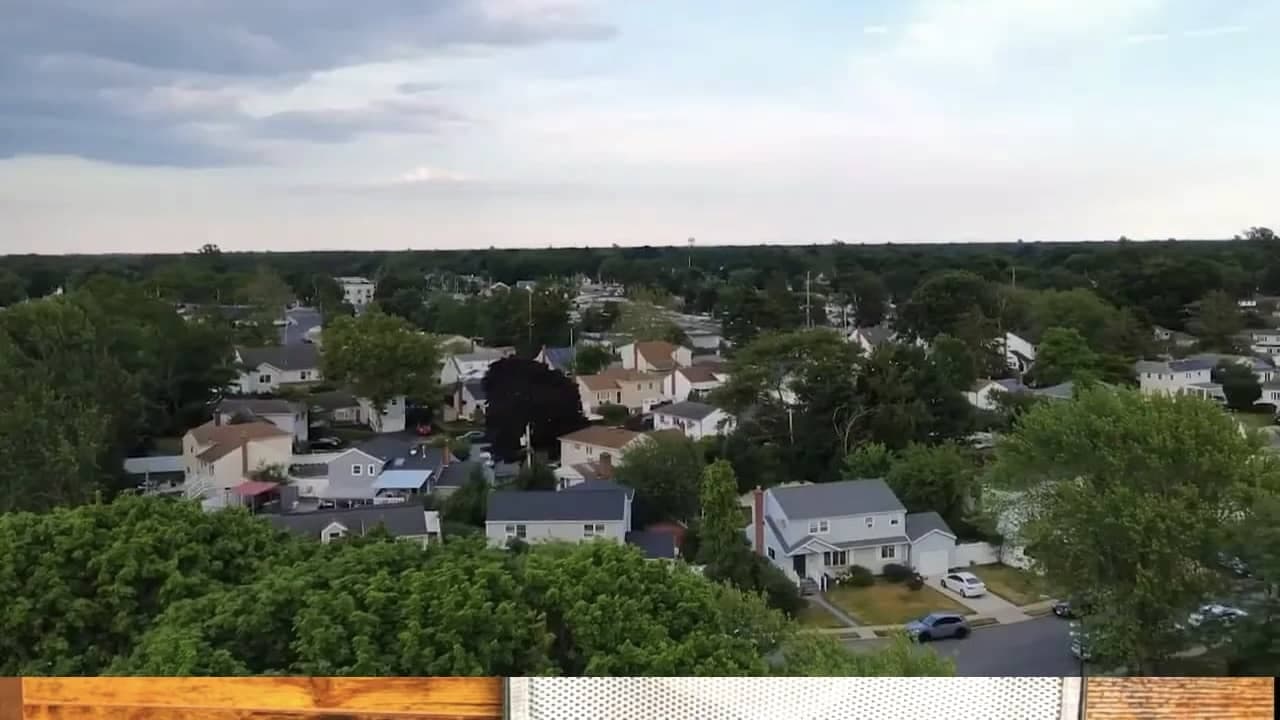
For everyday aerial footage, the result is more than respectable.
The controls are sensitive, which is good and bad
Here is one thing beginners should know right away. The control sticks are sensitive.
That can be a good thing because the drone responds quickly and feels lively. But it can also work against you if your inputs are heavy-handed. I definitely had moments where I moved too fast while panning, and the footage reflected that with less smooth motion.
So if you are new to flying, expect a little learning curve here. The drone is beginner-friendly, but that does not mean you instantly fly like a pro. Smooth flying still takes practice.
My advice would be:
Start slow on the sticks
Practice hovering before trying dramatic pans
Give yourself lots of open space
Use the beginner settings until you are genuinely comfortable
Beginner mode makes this drone approachable
I stayed in beginner mode the whole time, and honestly, I have no shame about that. If you are still learning, that is exactly where you should be.
In beginner mode, the drone limits its height and distance. For some pilots, that may sound restrictive. For me, it was exactly what I wanted. It kept things controlled while still giving me enough room to capture useful footage.
If your goal is to get good-looking shots without launching something halfway across the map, beginner mode does the job. It is especially helpful for low hover work, close-range passes, and practice sessions in smaller spaces.
GPS features add confidence, but do not expect perfection
The GPS-based features are one of the reasons this drone feels manageable for newer pilots. There is definitely value in having that extra layer of guidance and control.
That said, this is also where I ran into one of the few caution points.
The return-to-home feature worked, but not with dead-center precision. When I triggered it, the drone came back close to my location, but not exactly on top of the takeoff point. It was off by around four or five feet.
That may not sound like much until you are landing near obstacles. In one case, the drone clipped a tree branch on the way down because I had launched and landed in a tighter area than I should have.
So here is the practical takeaway. Treat return-to-home as helpful, not magical. Always leave enough space around you for a slightly imperfect landing.
Follow Me mode showed promise, but I need more time with it
I also tried the Follow Me mode twice. The first attempt worked. The second time, I could not get it to properly lock onto me or select me on the screen.
I do not think that means the feature is bad. It felt more like user learning curve than product failure. Still, if Follow Me is the one feature you care about most, know that it may take some practice before you get consistent results.
That is not unusual with smart flight features. They often require a little patience before they become second nature.
See it in action
Where this drone fits best
The Ruko U11MINI makes the most sense for people who want a compact aerial drone that feels easy to carry, easy to start, and fun to use without needing expert-level skills.
I can especially see it working well for:
Beginners who want a real GPS drone without overwhelming setup
Travelers who need something compact for a bag
Casual creators capturing outdoor footage
Hobby users filming cars, bikes, backyards, neighborhoods, and vacation spots
For me, this is the kind of drone that earns a permanent place in the gear bag. That says a lot. Plenty of gadgets come in, get tested, and then sit on a shelf. This one feels like something I will actually keep using.
What I liked most
The built-in screen made everything easier and more self-contained.
The screen responsiveness felt good and gave the controller a premium edge.
Connection and setup were fast and easy.
Battery life seemed very solid in practical use.
Video quality looked strong for the kind of footage most buyers want.
Beginner mode made the whole experience less intimidating.
Compact design made it easy to travel with.
A few things to keep in mind
The sticks are sensitive, so smooth footage takes practice.
Return-to-home is helpful but not pinpoint accurate, so leave room when landing.
Smart modes like Follow Me may require some learning before they work consistently for you.
Final thoughts on the Ruko U11MINI 4K
The Ruko U11MINI 4K gave me a genuinely positive first impression. It feels approachable without feeling toy-like. It offers enough smart functionality to build confidence, and the built-in screen makes the whole thing much more enjoyable than the usual phone-dependent drone setup.
Is it perfect? No. You still need practice. You still need space. And if you are new, you are still going to make beginner mistakes. I certainly did.
But that is exactly why I like this drone. It let me learn, get useful footage, and have fun doing it. That is what a beginner-friendly drone is supposed to do.
For my kind of use, this one is a keeper.
Price: $649.99
Where to buy: Amazon
Source: Sample for this review was supplied by Ruko.