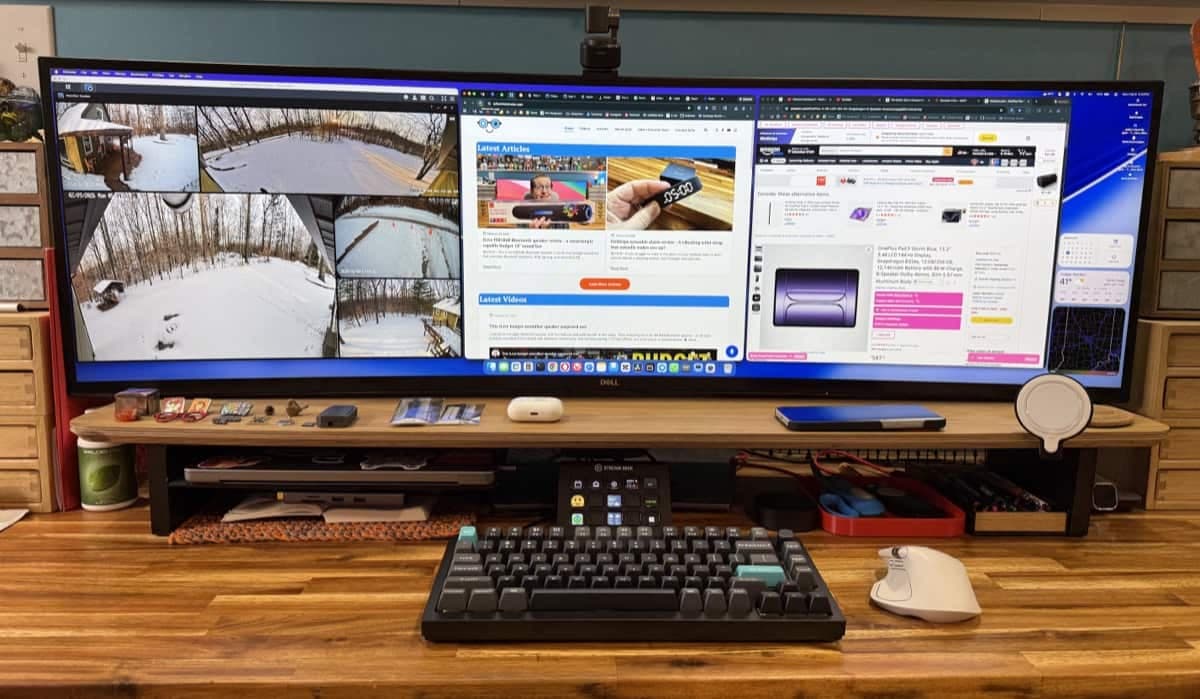

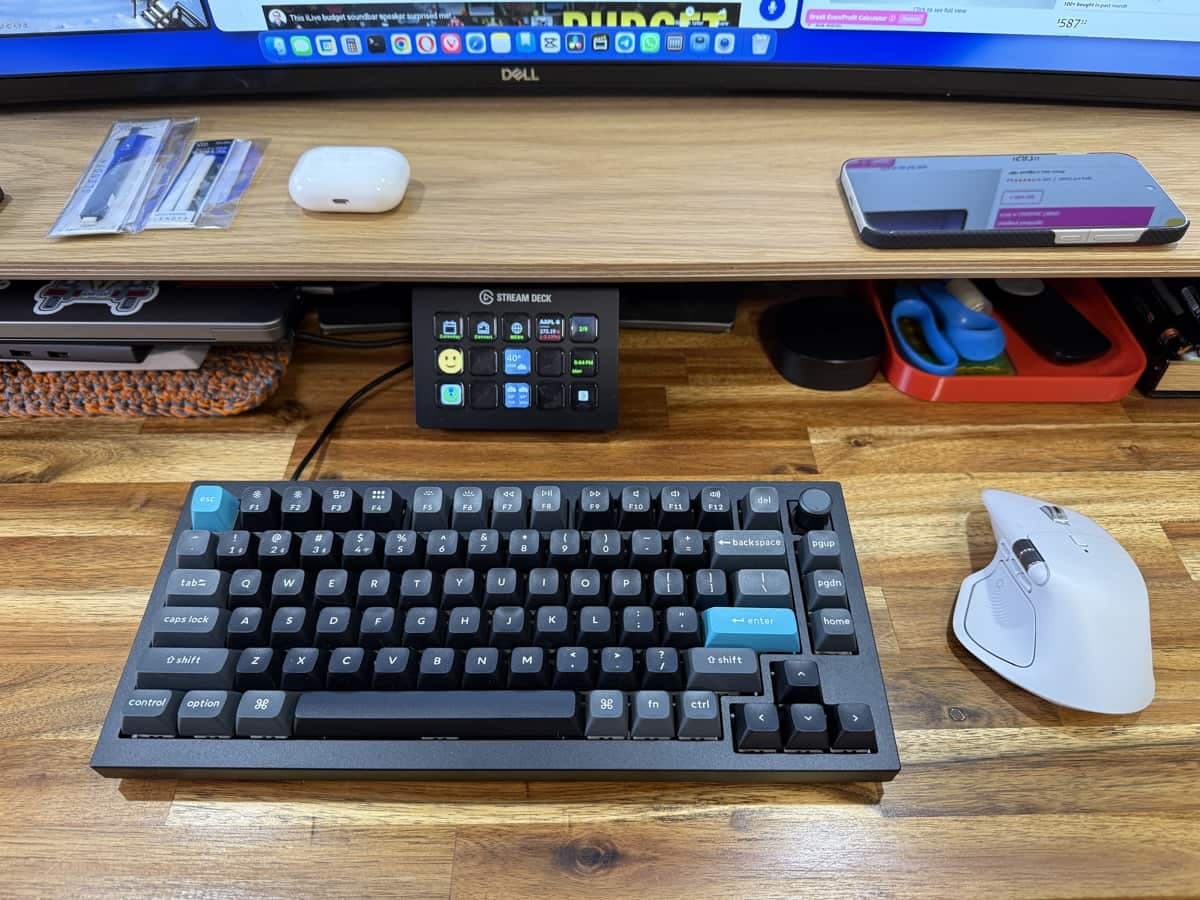
REVIEW - The Keychron Q1 Ultra is the kind of mechanical keyboard that makes a first impression before you even type: heavy, well-built, and unmistakably premium. I was excited to unbox this one, and after a few days of using it as my daily driver I have a clear sense of what it gets right and why it’s easy to recommend to enthusiasts and pros alike.
Price: $229.99
Where to buy: Amazon and Keychron
Quick summary
What it is: A premium 75% custom-style mechanical keyboard with wireless and wired modes.
Why it matters: CNC-aluminum body, hot-swappable switches, per-key RGB, and an ultra-responsive 8000 Hz polling option for serious typists and gamers.
Best for: People who want a compact layout without sacrificing function keys, and anyone who prefers a heavy, solid-feeling board.
What's in the box
The Keychron Q1 Ultra arrives with everything you need to get started and to mod the board if you want to later.
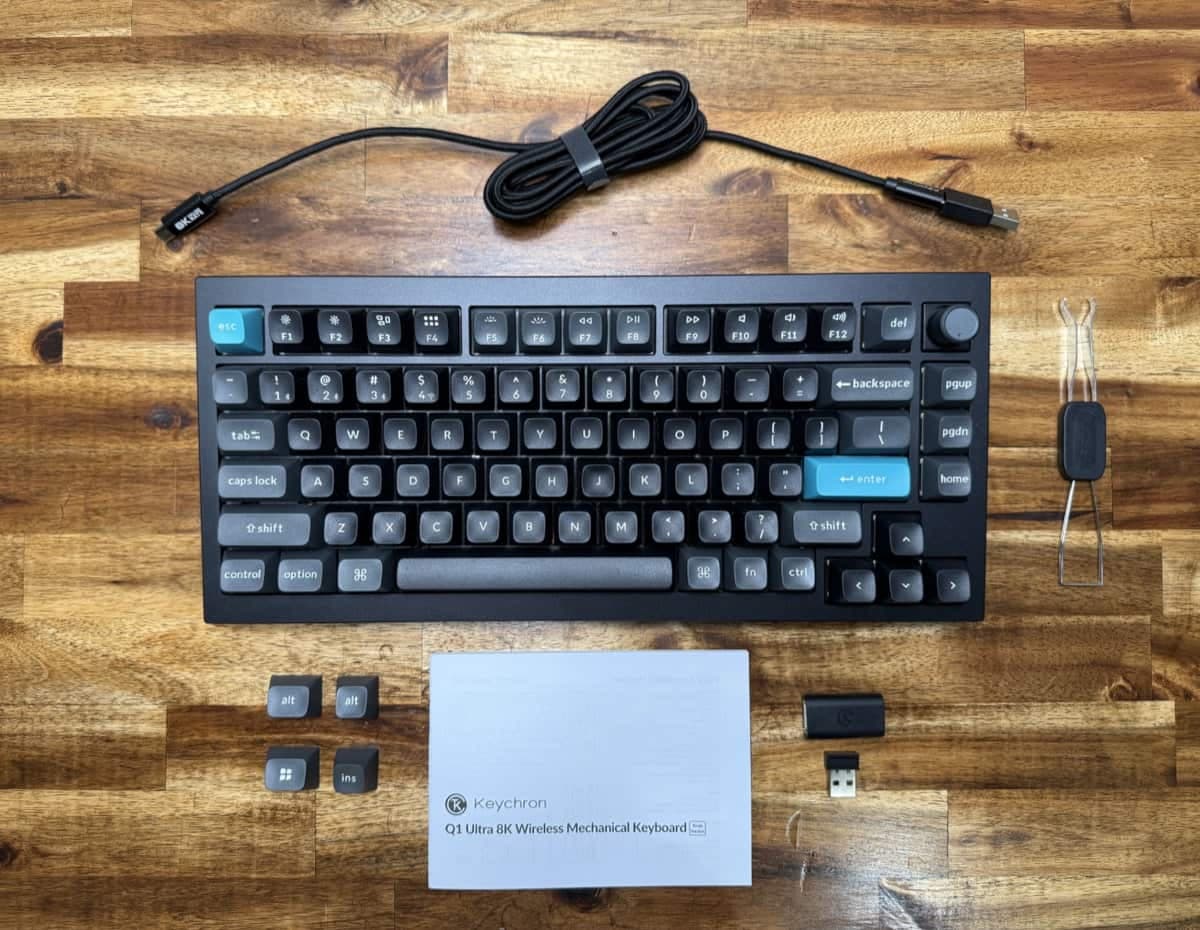
Quick start guide and manual
USB-C to USB-C braided cable plus a USB-A adapter
2.4 GHz USB-A wireless dongle
Extra keycaps (Windows set) and keycap/switch puller
Small screwdriver, extra screws, allen wrench, and some foam
First impressions: weight, finish, and build quality
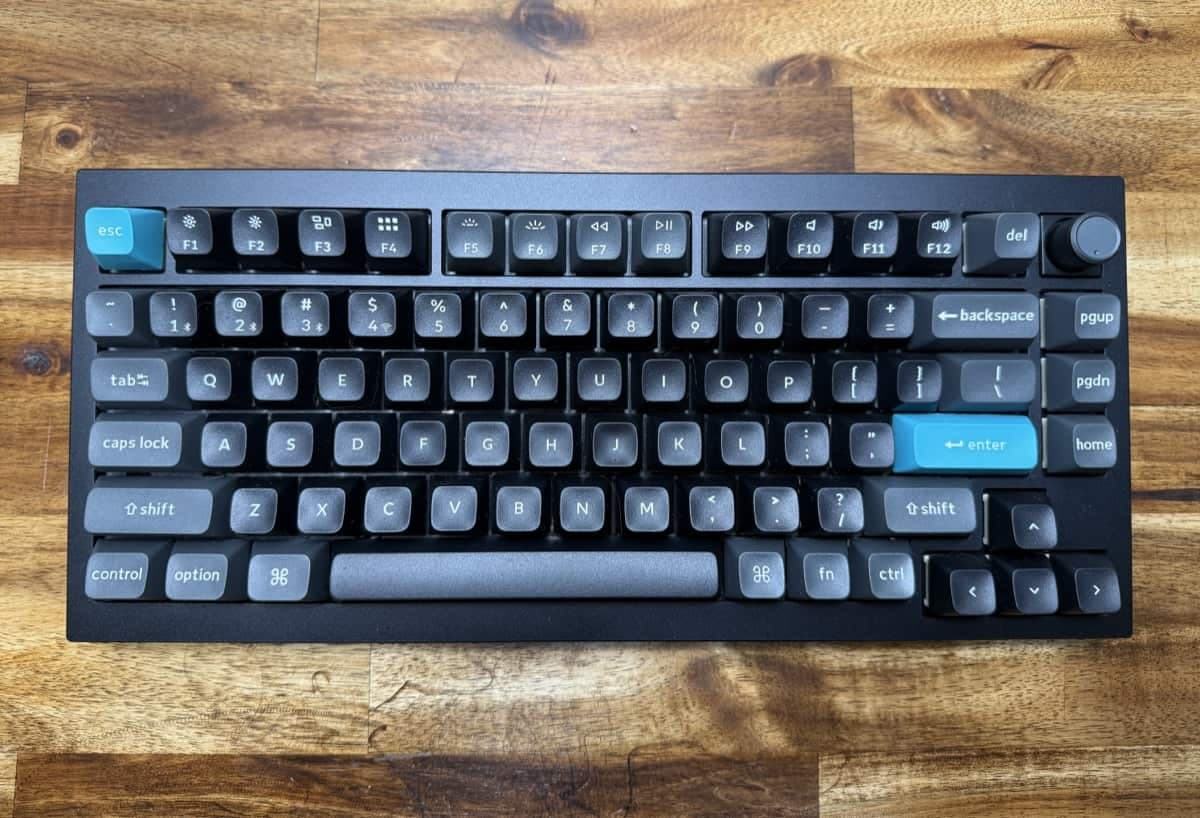
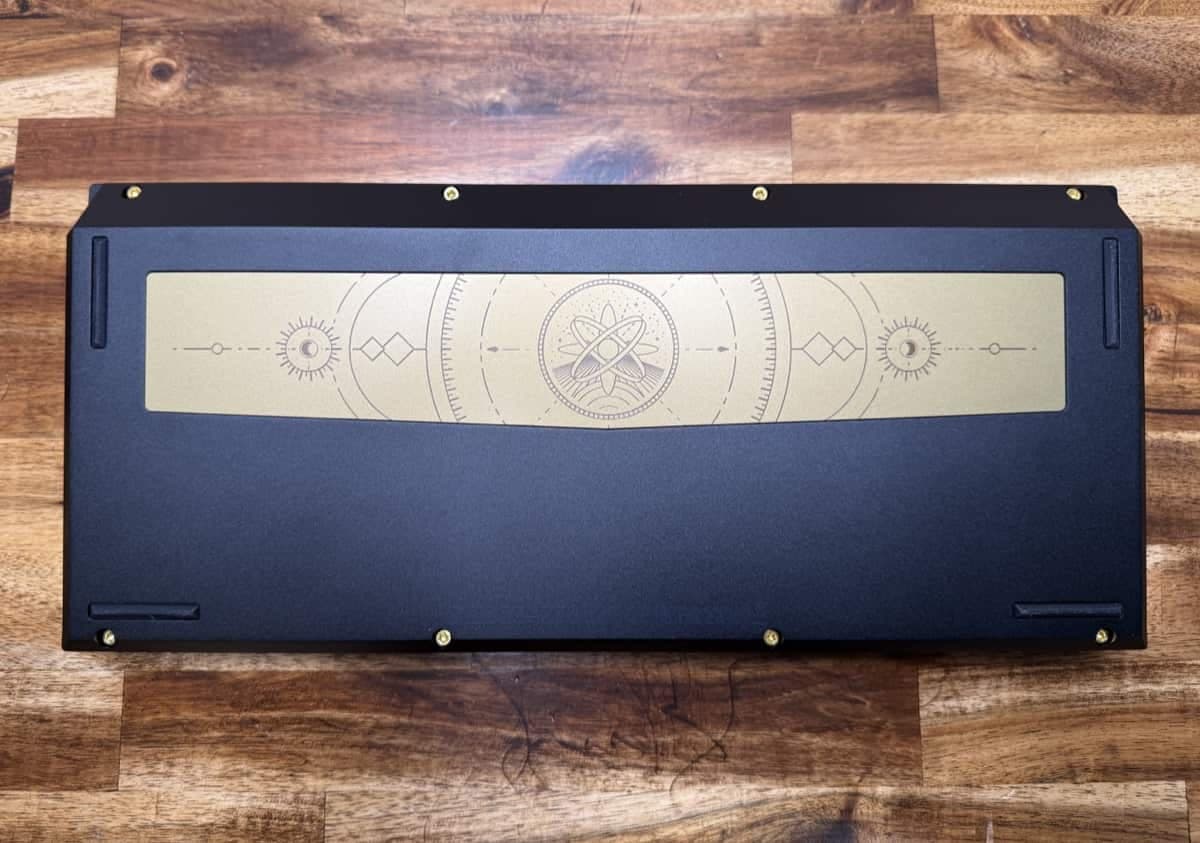
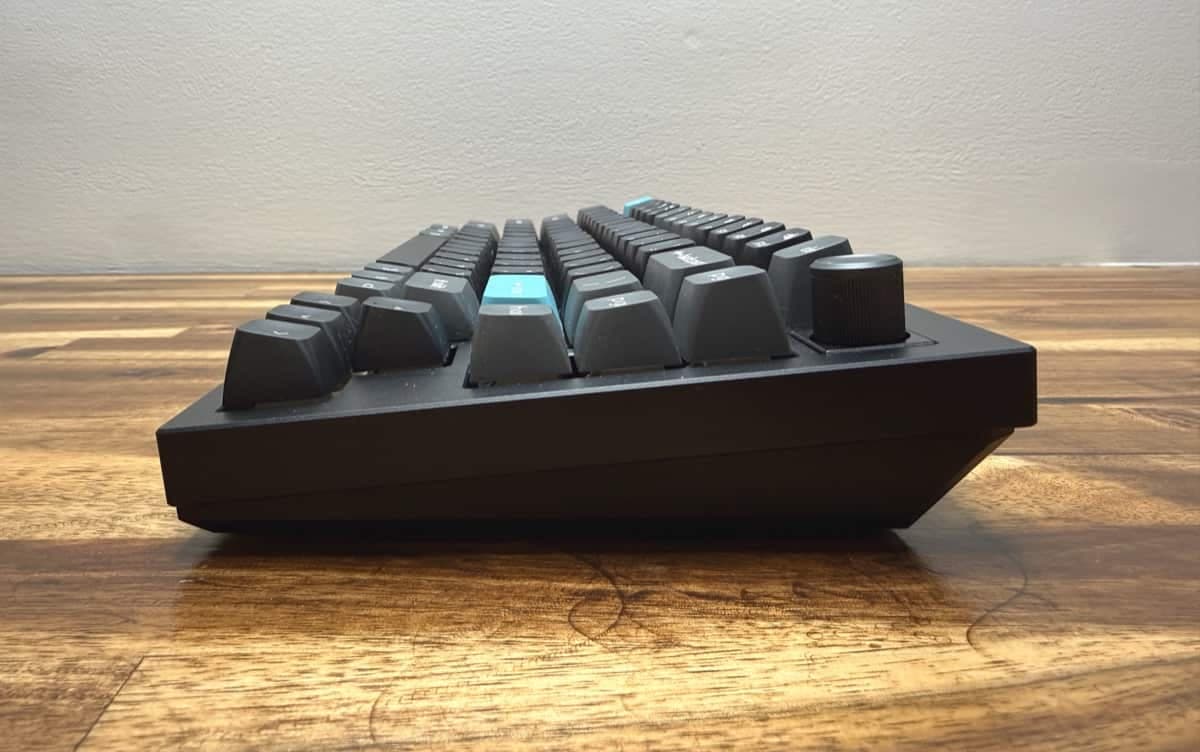
Out of the box the keyboard feels substantial. The Keychron Q1 Ultra’s CNC metal case gives it a satisfying heft that keeps it planted on the desk. You can choose black or white; I went with black this time and liked the contrast with the aqua Escape and Enter keys. There’s a decorative engraved back plate with a sci-fi/steampunk vibe that looks almost coppery, and the fasteners have a brass-like finish that adds to the premium look.
Layout and controls
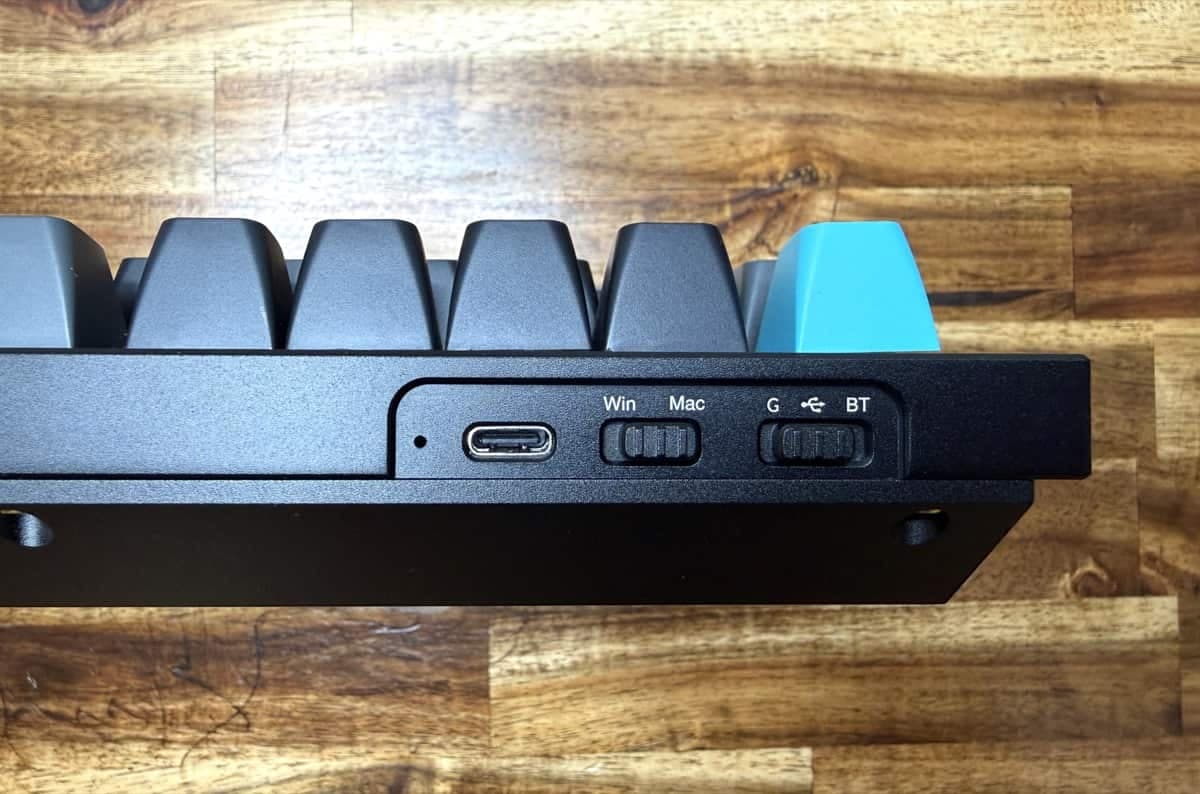
The Q1 Ultra has a 75% layout which is compact while still providing all the features you want in a keyboard. It keeps the function row, arrow keys, and navigation cluster in a tidy arrangement. On the back edge you’ll find the USB-C port, a Mac/Windows keycap set switch, and a mode selector for G (2.4 GHz), USB, and Bluetooth. If you prefer wired reliability like I do, the USB mode is the easy choice; I’ve left mine wired to avoid battery worries.
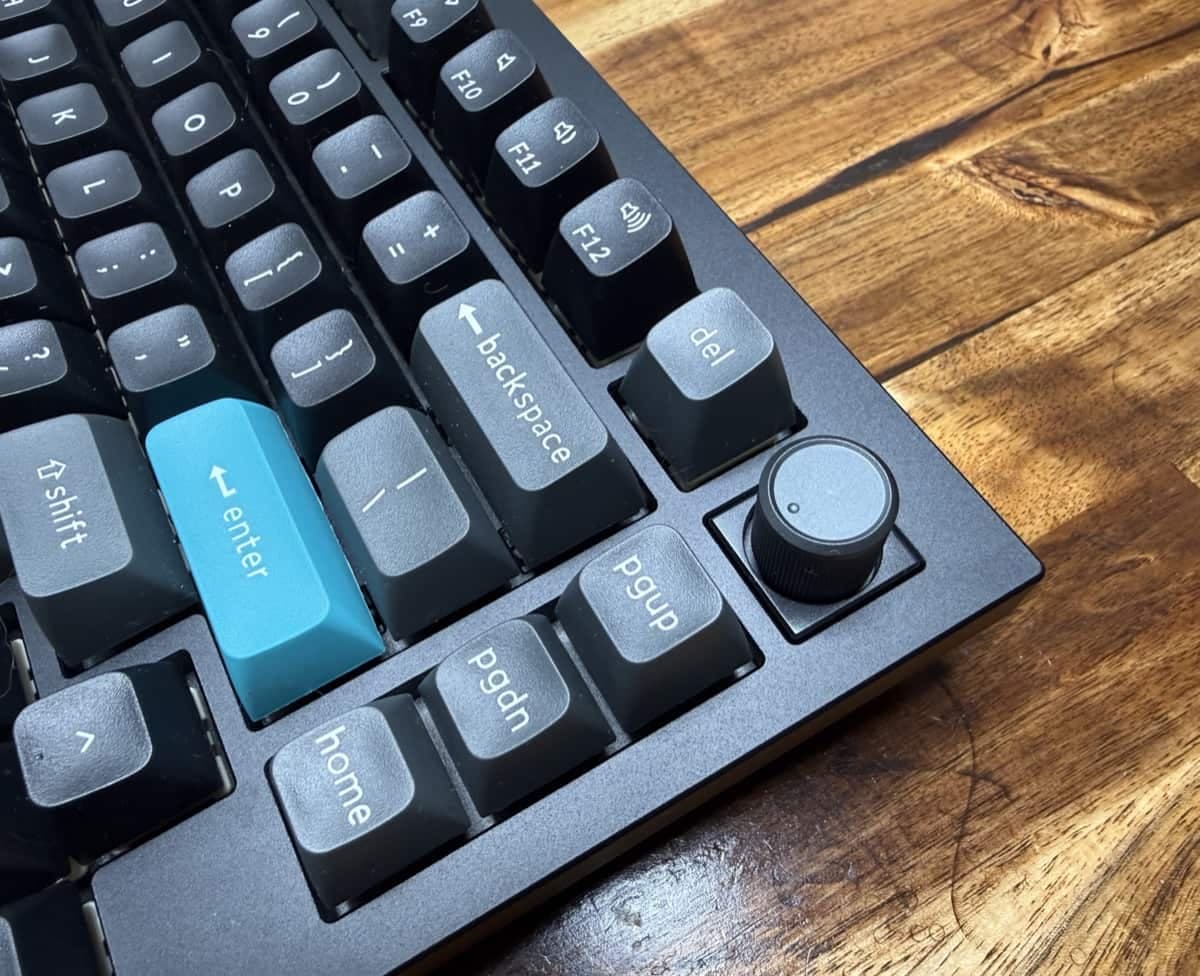
There’s also an analog volume knob that’s nice to use plus dedicated media controls and a full F1–F12 row. The inverted-T arrow keys and dedicated page up/page down/home keys keep navigation comfortable even on the smaller footprint.
Switches, keycaps, and typing feel
This unit came with Keychron Silk POM Banana switches installed. They’re south-facing RGB switches which matters if you care about RGB lighting effects. The hot-swappable PCB means swapping switches is straightforward. The included extra Windows keycaps and the cap/switch puller tool make experimenting simple.
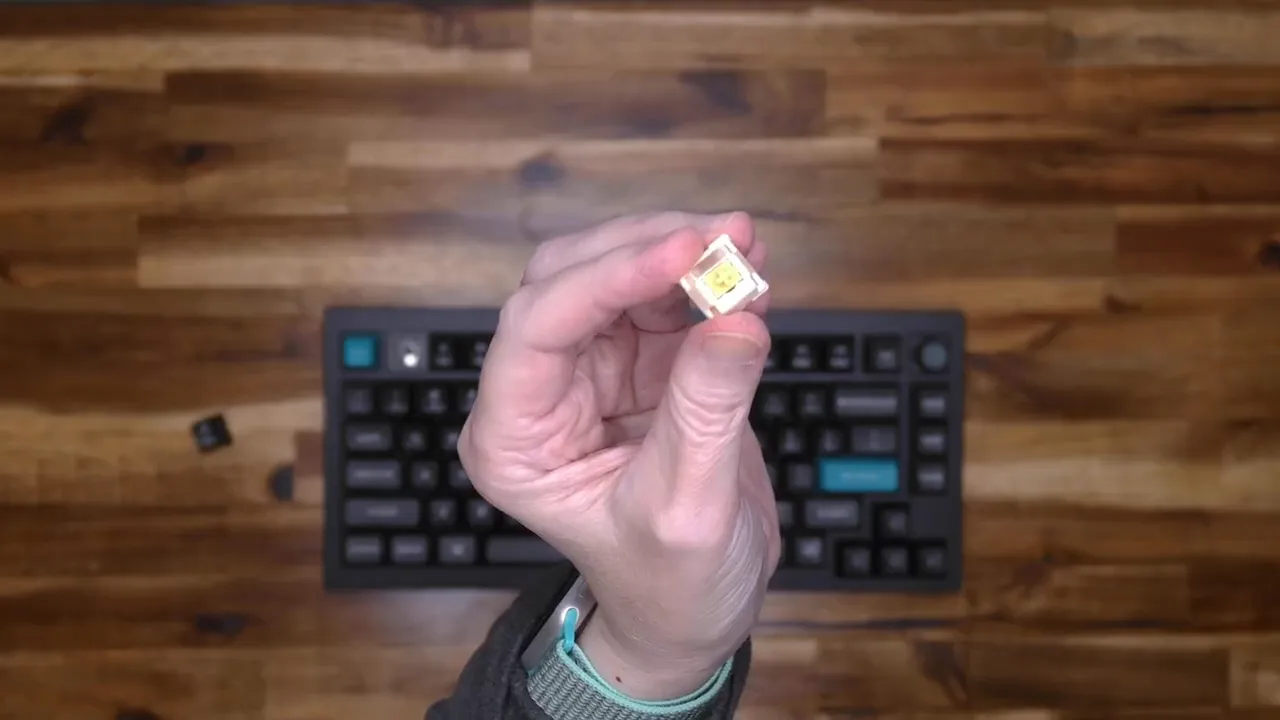
Typing on the Q1 Ultra is satisfying: the keyboard’s weight and the stiff case combine with the plate and switches to produce a stable, solid feel. The angled, ergonomic layout is comfortable for extended typing sessions, and the knob + media keys add convenience without clutter.
Connectivity, battery, and RGB
The Keychron Q1 Ultra supports Bluetooth 5.3 multi-device pairing, 2.4 GHz wireless via the included dongle, and wired USB-C. It advertises an ultra-responsive 8000 Hz polling option, which is attractive to competitive gamers who want the lowest possible latency. With RGB off, Keychron claims battery life measured in months (up to 660 hours).
Per-key RGB is fully customizable via the Keychron Launcher web-based key customization software. The onboard lighting effects are smooth and easy to switch through using Function + Q and I found the transitions very polished compared with some other keyboards I’ve used.
See and hear it in action
Who should consider the Keychron Q1 Ultra keyboard?
Enthusiasts who want a premium 75% mechanical keyboard with hot-swap capability.
Users who like a heavy, stable board that doesn’t slide around.
Typists and light gamers who appreciate customizable per-key RGB and solid media controls.
What I like
Excellent build quality and satisfying weight.
Compact 75% layout without losing important keys.
Hot-swappable switches and south-facing RGB for clean lighting.
Nice analog volume knob and convenient media buttons.
Smooth onboard lighting effects and Keychron Launcher customization.
What could be better
It’s heavy which is great for stability, but not ideal if you plan to transport it frequently.
Advanced features like 8K polling and extensive customization can be overkill for casual users.
Final thoughts
The Keychron Q1 Ultra packs premium materials into a compact 75% layout with thoughtful details (knob, media keys, hot-swap) into a single package. It’s one of the more refined keyboards I’ve used and earns a spot as my new daily driver thanks to its build quality and typing feel. It wasn't a hard update decision because my previous daily driver was the Keychron Q1 HE. If you want a compact, well-made mechanical keyboard with strong customization options, the Keychron Q1 Ultra is worth a close look.
Price: $229.99
Where to buy: Amazon and Keychron
Source: The sample for this review was provided by Keychron. They did not have a final say on the review and did not preview the review before it was published.